• Hi, I’m Daniel Dimsey. In this guide I’ll walk you step‑by‑step through the exact Google Ads setup I use for plumbing businesses in 2025. This is a practical, no‑fluff plan: which keywords to target, what competitors are paying, the best campaign structure, ad copy that converts, and the optimisation decisions that will save you thousands. Follow this exactly and you’ll avoid the rookie mistakes I made when I started.

    Overview: what you’ll learn

    • How to research high‑intent plumbing keywords with Google Keyword Planner
    • Real CPC ranges and search volume examples (so you can budget correctly)
    • How to build a high‑converting Search campaign (leads → clicks → conversions)
    • Ad copy structure that gets calls and form submissions
    • Important account settings and match‑type rules that save money

    1. Start in Google Ads (and grab any new‑account credits)

    If you’re brand new to Google Ads, check the signup offers at account creation — sometimes Google runs incredible ad credit promotions (e.g. spend $1,800 in 60 days, get $1,200 back). If you’re not a beginner, just sign in and let’s get started.

    2. Keyword research: use Keyword Planner first

    Don’t jump into campaign creation without real search data. Open Tools → Planning → Keyword Planner → Discover new keywords and type the core phrases a prospect would search, e.g. plumber near me or plumbing near me. Make sure you set the location to your city or service area so you get accurate local numbers.

    Example (Melbourne): plumber near me showed around 9,900 monthly searches. The Keyword Planner also shows top‑of‑page bid ranges — note these, because they’re the CPC reality for your market. In my example the top‑of‑page bids ranged roughly from about $15 to $53–$54 per click.

    How to use that data:

    • Collect all relevant “near me” and local search variants into a notes file — you’ll use them to build the campaign.
    • Do separate campaigns for speciality keywords (e.g. emergency plumber, gas plumber) so you can keep relevance high and budgets controlled.

    3. Create the campaign: objective, type and conversions

    When creating the campaign pick:

    • Objective: Leads (we want calls and form submissions).
    • Campaign type: Search only — for home‑service businesses, Search is where the intent is.
    • Goal to reach initially: Website visits (we’ll train the account on clicks first, then switch to conversions).

    Conversion setup: track page views for form completions and phone call leads (calls from the ad). If you need a conversion tracking walkthrough, there’s a dedicated conversion tracking video (see the original video description for that link).

    4. Bid strategy: start with clicks, set a sensible max CPC

    Major principle: If your account has no conversion history, don’t use automated conversion bidding yet. Start with a clicks‑focused strategy and set a maximum cost‑per‑click (max CPC) based on the Keyword Planner’s top‑of‑page bids. I recommend using the high end of that range so you are competitive (in my example ~$54).

    Why? You need to get conversion data first so Google can learn what leads look like in your account. Once you’ve got ~30 conversions, flip to conversions bidding for scale.

    5. Network and exclusions: remove wasted placements

    Uncheck Google Search Partners and Google Display Network. These often dilute your data and send clicks that are harder to track. For service businesses, keep it simple: Search only.

    6. Location targeting: be precise — then restrict by presence

    Target suburbs or a radius around your service area. You can either:

    • Manually include specific suburbs for fine control (useful for later bid adjustments), or
    • Use a radius if you want a quicker setup.

    Important: change Location options from the default “Presence or interest” to “People in or regularly in your included locations” (Presence). This prevents people outside your service area from seeing your ads and will save you tens of thousands of dollars.

    Set any audience segments on Observation so you can later increase or decrease bids on segments that convert well or poorly.

    7. Let Google suggest assets — but edit everything

    Google will pull information from your landing page to suggest headlines and descriptions. Use this as a starting point, but manually edit the keywords and ad copy to match what’s proven to work for plumbing.

    8. Keyword match types: use Exact Match only

    After publishing, go to Audience, Keywords > Keywords and change all match types from Broad to Exact. This makes your ads show only for the precise terms you targeted and avoids unrelated traffic (DIY searches, product searches, etc.). This one change alone can save you a lot.

    9. Ad copy — the four pillars that make a plumber’s ad clickable

    There are four core elements to a clickable plumbing ad:

    1. Keyword relevance — match the headline to the search term (use keyword insertion to show the exact searched phrase).
    2. Call to action — prompt them to call, get a quote, book now.
    3. Discount or pricing — common winners: “$0 callout fee” or “Free quote”.
    4. Social proof / speed — “Local plumbers”, “At your door within 60 minutes”, etc.

    Bonus: use FOMO lines where appropriate (limited time discount, same‑day availability).

    Using keyword insertion

    Use the curly‑braces keyword insertion in Headline 1 with Title Case so the exact search phrase appears in the ad. Example headline: “{KeyWord:Plumber Near Me}”. That makes your ad ultra‑relevant for the user’s search.

    Pinning: pin your headline positions if you want strict control. Ignore the “Ad strength” metric — it favours giving Google more control, not necessarily better performance. I pin headlines and run split tests frequently.

    Ad example (structure)

    • Headline 1 (keyword insertion): Plumber near me
    • Headline 2 (pricing/CTA): $0 callout fee
    • Headline 3 (secondary benefit): Free quotes — at your door within 60 minutes
    • Descriptions: short benefit‑led lines that push speed, reliability, and a clear CTA (call now / get a free quote)

    10. Ad assets: images, sitelinks, promotions

    Images: use friendly photos of you and your team on site. People hire people — personal photos increase trust.

    Sitelinks: link to relevant pages on your site (pricing, services, contact, testimonials). Keep them relevant to the campaign keywords.

    Other assets: promotions and price extensions are optional. Callout extensions like “Residential & Commercial” are small but useful add‑ons.

    11. Budgeting: how much should you spend?

    Rule of thumb if you want frequent leads: set your daily budget to max CPC × 10. That gives you a minimum of ~10 clicks per day (often more), which helps train Google quickly.

    Example: if your max CPC is $54, a rough daily budget for competitive volume would be around $540 (~$500). Plumbing websites typically convert clicks to quotes at around 25–30%, so 10 clicks could produce 2–3 leads — more if your site and call handling are optimised.

    If that budget is too high, scale back to what you can afford — even low budgets will collect useful data over time.

    12. When to flip to conversions bidding

    Once you have around 30+ conversions in the account, switch from clicks to a conversion‑focused bidding strategy (e.g. Maximise Conversions or Target CPA). Prior to that, you’ll waste spend because Google doesn’t have enough data to optimise effectively.

    13. Final checklist before you go live

    • Keywords researched locally and saved
    • Campaign objective: Leads → Search campaign → Website visits
    • Max CPC set to competitive top‑of‑page high range
    • Search Partners & Display disabled
    • Location targeting set and Presence option enabled
    • Audience segments set to Observation
    • Headlines use keyword insertion and a price/CTA headline; descriptions emphasise speed and trust
    • All keyword match types changed to Exact
    • Sitelinks, call extensions and images added
    • Budget set practically (max CPC × 10 if you want higher volume)

    Conclusion: run smart, learn fast, then scale

    Google Ads for plumbers in 2025 is still straightforward if you follow a disciplined process: research local keywords, control who sees your ads, start with clicks to collect conversion data, use high‑relevance ad copy (keyword insertion + $0 callout fee + speed claims), and only automate bidding once you’ve got enough conversions.

    If you want deeper optimisations and advanced scaling tactics (including Facebook Ads and automation for home‑service businesses), I run a Home Service Ads Mastery course and I’ve included links and a conversion‑tracking tutorial in the original video description. Use those resources once your campaigns are live — they’ll help you squeeze much more profit from your ad spend.

    Now go set up your campaign: research local keywords, build a Search campaign with Exact match keywords, pin relevant headlines, set a realistic daily budget, and monitor conversions. If you follow this plan you’ll start getting quality plumbing leads and avoid the expensive mistakes most businesses make.
  • I’m Daniel Dimsey, and in this guide I’ll walk you through the exact Facebook Ads setup I use to generate painting leads in 2025. This is the same step‑by‑step approach I use in my Home Service Marketing course and in the ads I run for painting businesses: campaign structure, targeting tricks, creative strategy, and the instant form setup that grabs qualified leads without blowing your budget.

    Quick overview: what you’ll learn

    • Campaign structure and budget recommendations for local painting businesses
    • Why instant forms are the conversion location you should use
    • Targeting and exclusion hacks to stop wasted spend
    • Ad creative strategy — images vs video, enhancements, and an example ad copy
    • How to build an instant form that filters dud leads and gives you usable info

    1 — Campaign setup: objective and budget

    Start in Meta Ads Manager and create a new campaign. Choose the Leads objective — we want prospects to fill out a form (instant form or website form) so you can quote them.

    • Budget (my recommendation): For beginners: AUD $50–$100/day. US advertisers: roughly $35–$70/day. UK advertisers: roughly £25–£50/day. Start on the lower end and scale what works.
    • Campaign vs Adset vs Ad: Campaign sets budget, Adset controls targeting and conversion location, Ad is the creative people see.

    2 — Adset: conversion location, page and performance goal

    At the adset level pick your conversion location. My personal preference: use Instant Forms.

    • Why instant forms? They keep people on Facebook, remove the need for a high‑end landing page, and let you gather qualification details right away.
    • Page selection: Select the Facebook page for the painting business you’re advertising.
    • Performance goal: Choose Maximize number of leads rather than Maximize number of conversion leads. In my testing this gets more leads for a lower price. With a well‑built instant form you’ll still filter for quality without paying the premium conversion price.

    3 — Targeting: location pins and exclusion zones (the money saver)

    Targeting is where you control who sees your ad. For local services you must be specific.

    • Don’t target an entire country. Pick the suburbs or local area you service.
    • Use the map drop‑pin to create your target radius around your service area.
    • Critical trick: Facebook sometimes spreads impressions into neighbouring areas you don’t service. To stop wasted spend, drop pins around the outer areas and mark them as Exclude. Repeat all the way around your target zone so Facebook can’t trickle budget into places you won’t work.
    • Audience size tip: aim for at least ~500,000 people for local campaigns. If your audience is too small, costs tend to go up.

    4 — Ad level: creative strategy (image vs video and placements)

    This is where the conversion happens. My go‑to format is single image ads first — fast to produce, easy to test at scale. Video works great but takes time to create and edit.

    • Start with images: Upload multiple images and test different angles quickly.
    • Keep placements reasonable: Choose the placements that suit your creative. If an image won’t look right in certain placements, exclude them.
    • Enhancements I use: overlays, visual touch‑ups, and music (for video). I turn off text improvements and enhanced CTA and don’t add animation unless it fits the creative.

    Example ad creative and structure

    Keep the tone personal and local — not overly salesy. Below is a basic structure I use:

    • Primary text: A short, genuine intro that mentions the owner, the local suburb and what you do (e.g. “Hi, I’m Richard — local painter from Chadstone. We specialise in full house repaints and colour consultations.”)
    • Headline: Call to action or price. Examples: “Get your house painted” or “Paint transformations starting at 3.49”
    • Description / social proof: Short social proof like “700+ happy customers” or a trust builder that matches the image.
    • CTA button: Get quote

    “Personal ads, not salesy — genuine messaging that relates to homeowners.”

    5 — Building the Instant Form that actually qualifies leads

    The instant form is crucial. Done right, it gives you the information you need and weeds out tyre‑kickers.

    • Form settings: Choose “More volume” to get a steady stream of leads. Set sharing to open if you want integrations to pick up submissions.
    • Remove the greeting: It’s usually unnecessary and adds friction.
    • Questions (3–4 recommended):
      • How many bedrooms does your house have? (1 / 2 / 3 / 4 / 5+)
      • How many storeys is the property? (1 / 2 / 3)
      • Preferred contact method (Phone / Email / SMS)
      • How urgently do you need painting? (ASAP / This month / Flexible)
    • Required contact fields: Full name, email address, mobile phone and street address. Street address is useful so you can verify they’re in your service area.
    • Privacy policy: Add a working privacy policy URL. Technically Meta accepts any link, but use a proper privacy policy page for compliance and trust.
    • Thank you screen: Keep it clear — e.g. “Thanks — you’ll get a quote in 24–48 hours.” Include an additional action to call the business for urgent jobs.

    6 — Publish and what to do next

    Once your ad and form are set, publish the campaign. From there, the real work is in reviewing performance and iterating:

    • Track cost per lead and lead volume. If cost is high, test different images, headlines and instant form questions.
    • Scale winning creatives by increasing budget and duplicating winning adsets into adjacent suburbs (remember to apply exclusion pins).
    • Follow up quickly — set up an automation or CRM to capture leads and call within the window you promise on the thank you screen.

    Common pitfalls and quick fixes

    • Targeting too broadly: you’ll waste budget. Use pins + exclusions to lock down the service area.
    • Choosing conversion leads objective only: conversion optimization can drive up price per lead. Maximise number of leads with a qualifying instant form instead.
    • Overcomplicated creatives: start with simple image ads and iterate. Don’t let video production delay testing.
    • No privacy policy or poor form fields: this reduces trust and makes follow‑up messy. Collect a usable address and contact method.

    Conclusion and next steps

    If you want the full system — including creative templates, optimisation routines, and a community to help you scale — I teach this step‑by‑step in my Home Service Marketing course and community. The course covers Facebook Ads, Google Ads and automations specifically for painters and other local home‑service businesses.

    Follow the steps above, prioritise instant forms, lock down your geographic targeting with exclusion pins, lead with image creatives, and build a short but effective instant form. Do that and you’ll be generating more qualified painting leads without paying premium conversion prices.

    Ready to get started?

    • Set up a leads campaign with an AUD $50/day test budget (or the equivalent in your currency).
    • Use instant forms, include 3–4 qualifying questions, and require name, phone, email and address.
    • Drop exclusion pins around your service area so Facebook can’t waste your budget on places you don’t cover.

    Good luck — and if you need help, my course and community walk through every step in detail and include templates you can use straight away.

  • I’m Daniel Dimsey and in this guide I’ll walk you step‑by‑step through the exact Google Ads setup I use for moving companies and removalists in 2025. This is a practical, no‑fluff approach that covers the four pillars of every profitable campaign, the single biggest beginner mistake that kills results, and the exact targeting, bidding and ad construction tricks that make your budget work harder.

    Quick overview — what you’ll get

    • How to research high‑intent keywords and CPCs for your city
    • Campaign structure and objectives that actually convert
    • Why you should start on clicks (not conversions) and how to set your max CPC
    • Precise location targeting that avoids wasted spend
    • Ad copy built around four core pillars: relevancy, social proof, calls to action and discounts
    • Practical tips for match types, extensions and budgets

    1. Start with keyword research — don’t build the campaign yet

    Before you touch the campaign builder, open Google Ads → Tools → Planning → Keyword Planner → Discover keywords. Type in the common search someone would use to find your service (for example, “moving company near me”) and change the location to your exact city so the CPC ranges are relevant.

    Look for the highest monthly search terms like “removals near me” or “movers near me” and note the top‑of‑page bid ranges (example: low range ~$9, high range up to ~$27). These numbers tell you what competitors are paying to appear at the top — and they should guide your max CPC decisions.

    What to save from keyword research

    • The exact high‑intent keywords people search for
    • Average monthly searches for prioritisation
    • Top‑of‑page bid low & high range (use the high range when setting your initial max CPC)

    2. Campaign objective and conversions

    When creating a new campaign choose the “Leads” objective. Add the conversion goals you care about — typically:

    • Website lead form submissions
    • Phone calls from the ad or website

    If you haven’t set up conversion tracking yet, get it in place as soon as possible (I have a full walkthrough showing that separately). For now, set the campaign type to Search and the goal to website visits so the ad clicks go to your quote form landing page.

    3. Bidding: the number one beginner mistake (and how to avoid it)

    The biggest early mistake is starting a new account on automated conversion bidding. If Google doesn’t yet have conversion data for your site it will spend aggressively trying to get clicks from anyone — and you’ll burn budget quickly.

    Start with Manual (or Maximize) clicks and set a maximum cost per click. Use the high range CPC from Keyword Planner as your cap. Example: if the high range is $24, set your max CPC to $24. This gives you control while Google learns what works.

    Once you have reliable conversion data (I recommend ~30+ conversions in a 30‑day period), switch to conversion‑based bidding so Google can optimise using your own data.

    4. Campaign settings you must change

    • Remove Google Search Partners and Google Display Network — they’re difficult to track and can waste money.
    • Location targeting — use Advanced Search and add the exact suburbs/towns you service. Don’t rely on a single giant radius if you want long‑term control (suburb targeting allows bid adjustments by area).
    • Location option — change from “Presence or interest” to “People in or regularly in your included locations” to avoid showing to people merely searching about an area you don’t serve.
    • Language — set to the languages your customers use.
    • Audience segments — add relevant audiences but keep them on OBSERVATION (not TARGETING). This lets you adjust bids later without restricting delivery.
    • Avoid Performance Max / AI Max for search campaigns unless you have very large budgets and can test extensively.

    5. Keyword match types — exact is king for movers

    Import your high‑intent keywords gathered from Keyword Planner and change match types to exact match. Exact match prevents your ads from showing on tangential or loosely related searches that waste budget. In Google Ads, exact match is represented by square brackets, e.g. [movers near me].

    Do not leave keywords on Broad match when you’re starting — broad match often wastes money on irrelevant queries.

    6. Ad copy — the four core pillars that make someone click

    Your ads should focus on four pillars: relevancy, social proof, a clear call to action, and discounts (optional). A fifth, bonus pillar is FOMO (limited time offers).

    • Relevancy — use keyword insertion so the ad headline mirrors what the user searched (e.g. the headline shows “Movers Near Me”). Pin this headline to ensure it appears in position one for maximum relevance.
    • Call to action — use a direct CTA such as “Get your quote in 60 seconds” or “Book a free quote today”. Pin this as headline two if you want it shown consistently.
    • Social proof — include trust signals in the description: “5★ rated”, “200+ moves this year”, “locally owned”.
    • Discounts / promotions — mention any limited offers or % off to drive urgency.

    Example ad structure:

    1. Headline 1 (pinned): Keyword insertion — exactly what they searched
    2. Headline 2 (pinned): CTA — “Get your quote in 60 seconds”
    3. Description 1: Short service explanation
    4. Description 2: Social proof + discount or FOMO

    Pinning headlines gives you control and clarity about which elements drive conversions — don’t worry about Google’s Ad Strength metric; pin what you want to test and track.

    7. Ad assets and extensions that increase conversion

    • Images — use personal photos of your crew on the job or your team. They build trust instantly.
    • Phone number — add a call extension so people can tap to call directly from the SERP.
    • Sitelinks — link to relevant pages like “Furniture removal”, “Interstate moves”, or a promo page so users land exactly where they expect.
    • Promotions / price assets — if you have a discount or starting prices, add them here.

    8. Budget calculations and expectations

    A simple starting rule I use: take your max CPC (for example $24) and multiply by 10 to set a daily budget. So $24 x 10 = $240/day. That should deliver a minimum of 10 clicks per day (often 15+).

    Typical moving company conversion rates on well‑built landing pages sit around 25–30%, which would equal roughly 2–5 quote requests per day at those volumes. This is just a starting point — track your real numbers and optimise.

    9. When to switch to conversion bidding

    Once your campaign records about 30 conversions in a 30‑day window, switch the campaign bidding to conversions (e.g. Target CPA or Maximise conversions). By then Google has enough first‑party data to pursue people likely to convert for your business.

    10. Quick optimisation checklist

    • Check search terms regularly and add negative keywords to cut irrelevant traffic.
    • Adjust bids by suburb: increase bids where conversion rates are high and reduce where they’re poor.
    • Test ad copy: keep the pinned headlines you want and rotate the other assets to see what lifts conversion.
    • Monitor phone call conversions and form submissions separately to see which channel performs best.

    Final notes

    This is a proven framework for running profitable Google Ads campaigns for movers and removalists in 2025. Start with the keyword research, protect your budget with max CPC bidding, use exact match for intent, lock your location settings to “people in” your service area, and build ads around relevancy, social proof, clear CTAs and promotions.

    If you want more advanced optimisation tactics and templates I use across Google and Facebook for home service businesses, I run a full Home Service Marketing course that dives deep into campaign optimisation, creative, automations and scaling.

    Get started, test, and iterate — once you have clean conversion data the results compound quickly.

    Ready to implement?

    Follow the steps above in this order: Keyword research → Campaign setup (Search + Leads) → Start on clicks with a max CPC → Exact match keywords → Precise suburb targeting → Ad copy using the four pillars → Add extensions and images → Budget using max CPC × 10 → Optimise and switch to conversions after ~30 conversions.

    “Start with clicks, protect your budget, then let data drive automated bidding.”

  • I’m Daniel Dimsey. In this step‑by‑step guide I’ll walk you through the exact Facebook Ads setup I use in 2025 to generate consistent, high‑quality moving and removalist leads — the campaign objective, audience targeting, ad creative, and the instant form configuration that turns clicks into paying clients.

    Quick overview — what this guide covers

    • Campaign objective & recommended budgets
    • Ad set settings: conversion tracking and precise location targeting (with exclusions)
    • Ad creative: the exact image size, style and copy that converts
    • How to build an instant form that qualifies leads so you don’t waste ad spend
    • Testing, enhancements and final checklist before publishing

    Campaign objective & budgets

    Choose the Leads objective. For removalists and moving companies you want people to complete your instant form or your website quote form — that’s the simplest path to a qualified lead.

    Budget recommendations (start here, then scale once you have data):

    • Australia: A$50–A$100/day
    • United States: US$35–US$70/day
    • United Kingdom: £25–£50/day

    Set the campaign budget and move on to the ad set to configure tracking and audience targeting.

    Ad set: conversion tracking and audience targeting

    1. Conversion location: I personally prefer Facebook Instant Forms — they’re fast to set up, look good and let you qualify people before you give a quote. If you have a high‑quality website with a quote flow, you can use website leads instead.

    2. Performance goal: select “Maximize number of leads” rather than “Maximize number of conversion leads.” Why? If your instant form asks qualifying questions, only motivated prospects will complete it, so you’ll get quality leads without paying the premium conversion price.

    3. Location targeting: narrow the audience to your actual service area — e.g. type your city (I use Melbourne as an example). Then create exclusion zones around the map using drop pins and increase the radius slightly. Facebook will otherwise spend on nearby areas you don’t service, wasting budget.

    Ad creative — single image/video and the exact specs

    I recommend running single image or single video ads for fast, scalable testing. Keep creatives simple and authentic so they build immediate trust.

    Image specs

    • Size: 1080 x 1080 px (square)
    • Use a genuine photo of one of your team members or a real job — authenticity converts better than stock imagery.

    Creative choices & enhancements

    • Use visual touch‑ups and overlays (if they suit the image)
    • Remove automatic text improvements if they ruin the look
    • Consider adding subtle animation and music for placements that support video
    • Disable any enhanced CTA features that don’t match your flow

    Ad copy that works

    Your ad copy should be genuine, local and action‑focused. Social proof up front helps. Keep the headline simple and aligned with the CTA button.

    • Headline (call to action): “Get a fast quote” or “Get your free quote” — tell them exactly what to do.
    • Description: lead with credibility — e.g. “Trusted by hundreds of local families” or “Over 1,000 happy moves.”
    • CTA: “Get Quote” or for urgent work use “Call Now” if you want immediate calls.

    Example ad voice: a friendly, local line like “We’re your local movers — reliable, insured, and ready to move you. Get a fast quote today.” Combine that with a photo of a real crew member for instant trust.

    Build the instant form that filters out tire‑kickers

    The instant form is where you qualify leads so your ad spend buys clients, not time‑wasters. Set this up deliberately:

    1. Form type: Choose “More volume” and set sharing settings to open.

    2. Remove the intro — it’s usually wasted attention. Go straight to questions.

    3. Ask 3–4 qualifying multiple‑choice questions (this is the golden spot). If someone won’t answer, they’re unlikely to book anyway. Suggested questions:

      • Where are you located? (list suburbs / areas)
      • How urgently do you need the move done? (ASAP / 1–2 weeks / flexible)
      • Size of job? (1 bedroom, 2 bedroom, 3+ bedroom, office)
      • Any access issues? (stairs, narrow drive, lift needed)
    4. Collect full name, phone number, email and street address. Phone number is crucial for follow up; address helps you price accurately and filter out out‑of‑area leads.

    5. Privacy policy: add a link (website privacy or a Google Doc works). The form typically only checks for a link, but include a real policy if possible.

    6. Form headline & thank‑you text: keep the headline aligned (e.g. “Get a fast quote”). For the follow‑up description tell them when they’ll hear back — “You’ll receive your quote within 24–48 hours” or “Instant quote in 5 minutes” if you truly deliver instantly.

    7. Button: set to “Call Business” if you want urgent leads to call immediately, and add your phone number so the call button appears.

    Testing, measurement and optimisation

    • Start with single‑image ads to test many variations quickly. Swap images and copy sequentially to find winners.
    • Use the instant form questions to reduce unqualified leads so you can optimise for volume instead of expensive conversions.
    • Once you have a winning creative, scale budget gradually rather than doubling overnight.
    • Monitor cost per lead, lead quality (bookings per lead) and tweak form questions or ad creative if quality drops.

    Final checklist before publishing

    1. Campaign objective set to Leads and daily budget in place.
    2. Facebook Page selected on the ad and performance goal set to “Maximize number of leads.”
    3. Ad set locations narrowed to your service area with exclusions configured via drop pins.
    4. Creative uploaded: 1080×1080 image (real team photo), clear headline and social proof in the description.
    5. Instant form created with 3–4 qualifying multiple choice questions and required contact fields.
    6. Privacy policy link added and form CTA set to the appropriate action (Get Quote / Call Now).
    7. Enhancements toggled (visual touch‑ups, overlays, animation as needed) and the campaign published.

    Wrap up — why this approach works

    This system focuses on two things: real human trust and tight qualification. A genuine image of your team builds trust instantly. The instant form filters for motivated buyers so you don’t pay for tire‑kickers. Because the form does the pre‑qualification, you can optimise for volume (lower CPC/lead) and still get high‑quality, bookable enquiries.

    If you implement these steps — precise location targeting with exclusions, single‑image creative that shows the real team, simple social‑proof copy, and a 3–4 question qualifying instant form — you’ll dramatically improve lead quality and reduce wasted ad spend.

    Now go set up your first campaign, run a few tests, and iterate. If you want to dig deeper into automating follow ups, Google Ads complements and scaling strategies, I’ve covered those topics in more detail elsewhere.

    Need a checklist to copy

    • Objective: Leads
    • Budget: start A$50 / US$35 / £25 per day
    • Ad creative: 1080×1080 image — real team photo
    • Headline: “Get a fast quote”
    • Description: short social proof line + delivery timeframe
    • Form: 3–4 multiple choice qualifying questions + contact fields
    • CTA: Get Quote or Call Now (add phone number)
    • Exclude nearby areas you don’t service
    • Publish and test

    Final note

    Run the process, collect data, and optimise. Small changes to wording, one extra qualifying question, or swapping an image can make a big difference in lead quality. Keep it local, genuine and focused on getting the prospect to request a quote.

  • I’m Daniel Dimsey. If you run a cleaning business — house cleaning, window cleaning, gutter cleaning, pressure washing — this is the exact Facebook Ads system I use in 2025 to generate consistent, low-cost leads. Below I walk through setup, targeting, creative, instant forms and the small tweaks that save money and bring better-quality enquiries.

    Quick overview: what this system does

    • Objective: Lead generation (instant forms preferred).
    • Budget: Scaleable daily budget for consistent results.
    • Targeting: Pin-based service area with exclusion zones to avoid wasted spend.
    • Creative: Genuine, personal images + short, community-focused copy.
    • Form: 3–4 qualifying questions + contact + address for accurate quotes.
    • Speed: Fast follow-up is critical — respond quickly to convert leads.

    Step 1 — Campaign setup

    Open Ads Manager and tap Create. Choose the Leads objective — we want people to complete an instant form or website form so we can get their details and send a quote.

    Campaign budget: I recommend around AUD $50–100 per day (roughly US$35–75 / UK £25–50). Set it and move on — there’s nothing more you need to tweak in the campaign section for this setup.

    Step 2 — Destination: instant forms vs website

    If you have a strong website with a good quoting flow, sending traffic there can work. Most of the time I use Facebook Instant Forms because they keep people on the platform and convert better. Instant forms reduce friction — people complete the form without leaving Facebook.

    When choosing performance goals, pick “Maximize number of leads” rather than conversion-focused bidding. In my testing, instant forms and the way the form is structured create conversion-focused leads without paying the premium for conversion bidding. That gives you cheaper leads with the same intent.

    Step 3 — Targeting: pin + exclude to save spend

    Target precisely: type in one of your service suburbs, drop a pin on the map and set a radius. If you serve a larger area, increase the radius; if smaller, shrink it.

    Important: add exclusion pins around the main area. Facebook can sometimes spend outside your intended zone, generating leads from places you don’t service. Excluding neighbouring areas prevents wasted ad spend and time chasing jobs you can’t take.

    Step 4 — Creative strategy: keep it personal, real and testable

    Ads that perform best in local cleaning niches lean heavily on authenticity. People want to hire a person, not a faceless company. Use a personal photo — you or a team member — and keep it genuine.

    • Format: I prefer single-image ads for fast testing, though videos work well too.
    • Image size: 1080 x 1080 (square) is ideal for feed ads.
    • Avoid stock photos. Use real photos of real people and real jobs.
    • Do not let Facebook auto-enhance or add overlays — keep control of the message.

    Testing approach: keep the ad copy and headline identical and rotate multiple images. That way you quickly learn which photo and angle convert best. I’ve split-tested dozens of images — little differences can change results significantly (fun fact: one test of me holding a cat outperformed a photo holding my kids).

    Ad copy framework I use

    • Lead sentence: short, local and genuine — speak like a neighbour.
    • Introduce yourself: one line saying who you are and what you do.
    • Social proof: number of Google reviews or number of happy customers.
    • Headline: clear and direct — e.g. “Get your house cleaned”.
    • CTA: “Get quote”.

    Example elements: a personal image, headline “Get your house cleaned”, description “400+ Google reviews” and CTA “Get quote”. Keep the top copy conversational and local — not corporate-speak.

    Step 5 — Build the Instant Form that screens for quality

    Create a new instant form and name it clearly. Choose “More volume” by default — if you’re getting a lot of dud callers you can switch to “Higher intent” and require phone verification, but I rarely need to.

    Intro: skip it. Intros add friction without much benefit in my experience.

    Questions — the golden formula

    Ask 3–4 pre-qualifying questions so people put in a little effort to request a quote. This weeds out tyre-kickers while giving you better information to quote accurately.

    1. Is your property single-story or double-story?
    2. How many bedrooms do you have?
    3. What service would you like? (Maintenance clean / Deep clean / Other)
    4. Any add-ons? (Oven clean / Fan clean / etc.)

    These questions do two things: they increase lead quality, and they give you enough context to provide a meaningful quote rather than a vague range.

    Contact information to collect

    • Full name
    • Phone number
    • Email
    • Street address (important for accurate quotes)

    Having the street address helps you estimate based on property size, check photos on real-estate sites if needed, and avoid surprises when you quote.

    Step 6 — Legal copy, thank you message and call option

    Privacy policy: paste a link to your privacy policy (your website or a Google Doc). Don’t use a random link — keep it professional.

    Confirmation message: keep it short and set expectations. Examples:

    • If you use flat-rate instant quotes: “Thanks — you’ll receive your quote within 5 minutes.”
    • If you manually review forms: “Thanks — expect your quote within 24–48 hours.”

    Speed is key. Fast responses convert much better.

    Additional action: add a “Call business” button and your phone number so people who need urgent service can ring directly from the form.

    Testing and optimization tips

    • Duplicate the ad with the same copy but different images — test 6–20 images to find winners quickly.
    • Keep overlays and auto-enhancements off to ensure you measure actual message performance.
    • Monitor which images and which form answers correlate with booked jobs — use that to refine targeting and questions.
    • Adjust budget after you identify a winning creative — scale slowly to maintain lead quality.

    Common mistakes to avoid

    • Targeting too broadly — you’ll waste spend on people outside your service area.
    • Using stock photos — these convert poorly for local services.
    • Overloading the ad with features and benefits — be human and local.
    • Ignoring the form structure — a poor form invites tyre-kickers or incomplete leads.

    Fast checklist to launch a converting cleaning ad

    1. Campaign objective: Leads.
    2. Daily budget: AUD $50–100 (~US$35–75 / UK £25–50).
    3. Destination: Instant form (unless your website is exceptional).
    4. Performance goal: Maximize number of leads.
    5. Targeting: Drop pin on service area + exclude surrounding zones.
    6. Creative: Real image (1080×1080), personal, no stock or auto-enhance.
    7. Form: 3–4 qualifying questions + name, phone, email, street address.
    8. Confirmation: Clear timeframe for quotes and a call button.

    Want to go deeper?

    If you want templates, swipe files and the full system I use — including the bits I can’t share for free here — I run a Home Service Marketing course that walks through Facebook Ads, Google Ads and automating lead follow-up. Check the video description for the course link.

    Final thoughts

    This system is simple but effective: target the right people, use real photos and personal copy, qualify leads with a short form, and reply fast. Small setup choices — pin exclusions, genuine creative, 3–4 form questions — save money and deliver higher-quality jobs.

    If you run a cleaning business and are struggling to get consistent clients, use this setup, test aggressively, and prioritise speed of follow-up. It’s how I scale reliable, profitable leads week after week.

  • Featured

    I’m Daniel Dimsey, and in this post I’ll walk you through five tested strategies to get cleaning clients fast in 2025. These aren’t old-school tips from five years ago — they’re the exact tactics working right now for house cleaning, window cleaning, carpet cleaning and commercial services. Implement even two of these consistently and you’ll see results.

    Why most cleaning companies struggle

    Most cleaning companies rely on word of mouth and hope. That’s slow and unpredictable. If you want steady growth you need repeatable systems that bring clients to your door — online and offline. Below are five practical ways to start filling your calendar quickly.

    5 proven ways to get clients fast

    1. Local SEO and Google Business Profile

    If you’re not showing up when people type in “cleaner near me”, then you’re just leaving money on the table.

    Ranking in Google Maps is free lead generation. Here’s exactly what to do:

    • Claim and fully complete your Google Business Profile.
    • Upload high-quality before & after photos weekly — Google rewards activity.
    • Collect reviews aggressively. Aim for 30+ reviews to start ranking in your area.
    • Post short updates (photo of today’s job, quick tip) — it costs nothing and boosts visibility.
    • Include clear service keywords in your profile (e.g., “window cleaning near me”, “end of lease clean”).

    2. Paid ads: Meta (Facebook/Instagram) and Google Ads

    “A lot of cleaners just boost posts and burn cash because they don’t know how to advertise properly.”

    Paid ads can deliver fast leads if you run them correctly:

    • On Facebook, run a simple lead generation ad targeting local homeowners. Use short videos showing the job and results.
    • Use clear headlines tied to the service (e.g., “Get your windows clean”). Keep the message simple.
    • On Google, bid on hyper-local keywords like “window cleaning near me” or target commercial keywords if you want bigger contracts.
    • Google Ads are pricier — start with tight geographic targeting (your town or postcode) to control cost.
    • Track cost per lead and only scale what converts. If in doubt, focus on people in your town and specific high-value commercial targets.

    3. Local networking and partnerships

    Offline relationships are the fastest way to stack recurring jobs:

    • Visit local real estate agencies and speak directly with agents. Offer referral incentives. Reliable cleaners get every property that needs preparing for market.
    • Connect with trades — painters, handymen, landscapers — their clients often need cleaning but tradespeople don’t want to do it. Be the cleaner they recommend.
    • Create a simple referral agreement or incentive for partners so they actively send work to you.

    4. Local Facebook groups — use them like a client machine

    “Hey, I’m a local cleaner. We’ve had two reschedules this week and we’ve got a couple of slots open and I’m happy to give a heavy discount for helping us out. Message me if you’d want your house cleaned this week.”

    Community groups are gold if you post authentically:

    • Join every local community board and neighbourhood group in your area.
    • Post genuine, conversational messages — not corporate ads. Explain you have a few open slots and offer a small discount for quick bookings.
    • Respond instantly when people comment. Speed converts interest into bookings.
    • Rotate posts and vary the offer so you don’t look spammy.

    5. Systematic referrals and incentives

    “Most cleaners never set up a system. Don’t wait and hope and pray for word of mouth.”

    Turn random referrals into a predictable lead source by creating simple, attractive incentives:

    • Tell every happy customer your referral offer: e.g., “Refer a friend and get 20% off your next clean.”
    • Run short-term referral promotions: “Refer two friends and get a $50 gift card.”
    • Automate the process where possible — email templates, SMS follow-ups and a referral tracking sheet make it easier to manage.
    • Referrals carry built-in trust and are one of the cheapest, highest-converting sources of new business.

    How to prioritise these strategies and take action

    If you’re not sure where to start, pick two and commit to them for 30 days. My recommended pairs:

    1. Google Business Profile + Local Facebook groups — low-cost and quick wins.
    2. Paid Facebook ads + Referral system — scaleable and predictable leads.
    3. Networking + Google Business Profile — strong for steady, repeatable contracts from agents and trades.

    Track simple metrics: number of leads, conversion rate, cost per lead (for ads), and number of referrals. Tweak based on what converts best for your business. Automate routine follow-ups to save time — automation can free 10+ hours a week so you can focus on delivering great cleans.

    Bonus: a small unfair advantage

    Post real, unpolished content often. A quick before-and-after photo or a short clip of a satisfying clean works better than over-produced marketing. People want proof you can deliver — give it to them consistently.

    Conclusion

    Here are the five proven ways to get clients fast in 2025:

    • Google Business / Local SEO
    • Paid ads (Facebook & Google)
    • Local networking and partnerships
    • Local Facebook groups
    • Referrals and incentives

    If you implement even two of these consistently, you will get results. Don’t wait for clients to just show up — make a plan, execute, and measure. If you want deeper playbooks on profitable Google Ads, Facebook Ads and automating your business, I cover advanced strategies in my home service marketing course (linked in the description of the original video).

    Get out there, start collecting reviews, reach into your local networks, and fill those appointment slots.

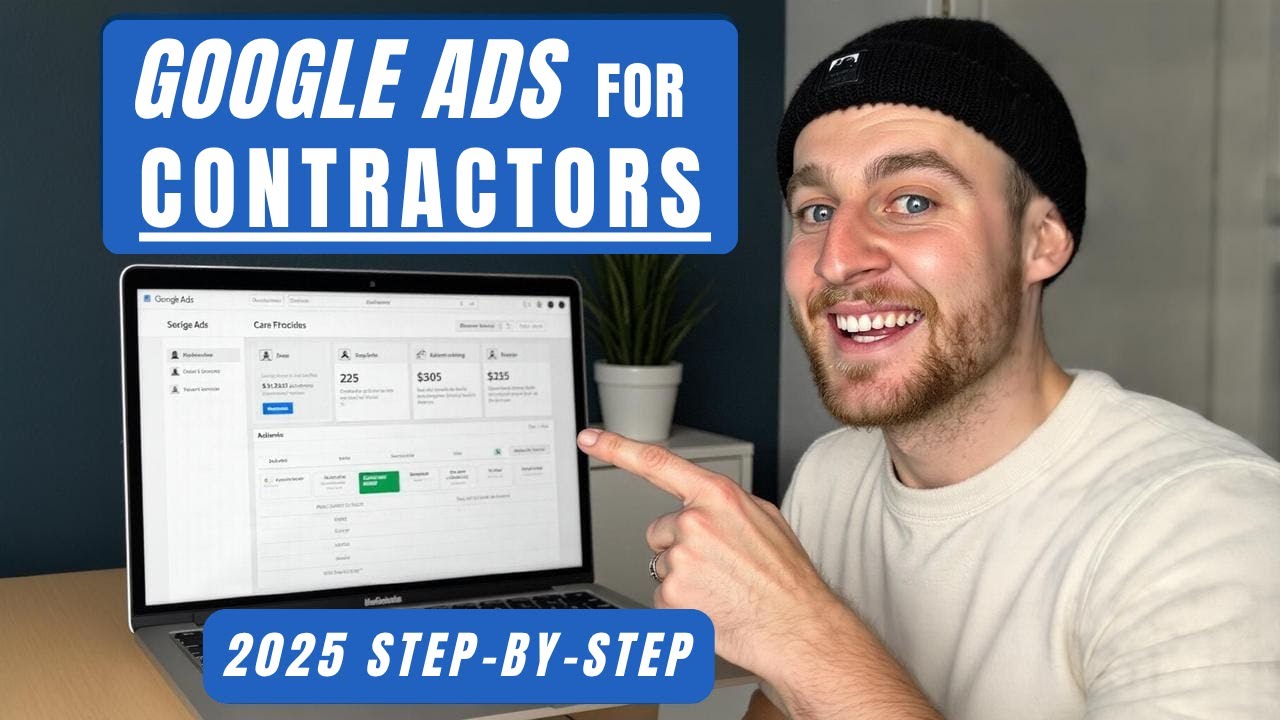
  • I’m Daniel Dimsey. In this guide I’ll walk you, step‑by‑step, through the exact Google Ads setup I use in 2025 for contractor and construction businesses — the same process I run on real campaigns to generate high‑intent local leads. If you follow this exactly, you’ll avoid rookie mistakes, reduce wasted ad spend and get a campaign built to scale.

    What this guide covers

    • How to research the right keywords and bid levels before you create a campaign
    • How to structure a Search campaign for contractors (bids, targeting and settings)
    • How to write ad copy that converts and set ad assets the right way
    • How to avoid wasted spend and make sure only high‑intent prospects click

    Step 1 — Sign up and grab the ad credits

    If you’re brand new to Google Ads, take any sign‑up credits Google is offering in your country — it’s free money. Once you’ve claimed that, sign into Google Ads and let’s get practical.

    Step 2 — Do keyword research first (use Keyword Planner)

    Before you create ads, use Tools → Keyword Planner → Discover new keywords. The key here is to find the exact search terms people use and the real cost to appear at the top for those terms.

    • Enter a core search term for your service (e.g. “bathroom remodeling”).
    • Change the location to your target city/region — this gives accurate local search volumes and bid estimates (I used Austin, TX in my example).
    • Click Get results and review Average monthly searches and the Top of page bid (low & high ranges).

    Why this matters: Google shows a top‑of‑page bid range for each keyword. Ads are charged per click, and those ranges tell you how much competitors are spending. Use these numbers to set realistic maximum cost‑per‑click (max CPC) caps so you don’t overpay or underbid and disappear from the results.

    How I pick a starting max CPC

    I usually target roughly 70–75% of the high end of the top‑of‑page range. If the high range is $88, set max CPC around $60. That keeps you competitive on the front page without always paying the absolute top price.

    Step 3 — Create the campaign (campaign structure & core settings)

    1. Campaign objective: Leads — we want form submissions or calls from your site.
    2. Conversion tracking: Make sure you track form fills and website thank‑you page views. (I have a separate detailed conversion‑tracking walkthrough.)
    3. Campaign type: Search — you want to show when people search for services like yours.
    4. Goal to reach: Website visits — this gives more control. Avoid Google’s lead forms and phone call focused goals for initial setup.

    Notes on conversion bidding:

    • Do NOT start on a conversions bidding strategy if your account has no conversion history. Google needs data to optimise; otherwise you’ll get expensive conversions.
    • Start with Manual/Max CPC (focus on clicks) and switch to a conversions strategy once you have ~30+ conversions for Google to learn from.

    Step 4 — Important campaign settings to prevent wasted spend

    • Disable Google Search Partners and Google Display Network — these placements are harder to track and often waste budget for local service businesses.
    • Locations: Use Advanced search and target specific towns/areas individually (don’t rely on a single radius pin unless absolutely necessary).
    • Targeting behaviour: Set Locations to “People in or regularly in your targeted area” (presence) — NOT “presence or interest”. This prevents showing ads to people interested in your area but who aren’t local.
    • Audience segments: Leave them on Observation (not Targeting). Targeting here can unnecessarily restrict traffic; observation lets you increase bids later based on performance.

    Why target areas individually? If one suburb converts better than another, you want to be able to increase bids there and reduce bids in low‑performing areas. That optimisation can save thousands over time.

    Step 5 — Build your ad groups and choose the keywords

    You can let Google suggest ad groups and assets, but always replace suggested keywords with your researched list from Keyword Planner. Use the high‑intent, highest‑search keywords you recorded (and the top‑of‑page bid ranges).

    Match types — crucial

    • Initial setup often ends up with Broad match suggestions. Change every keyword to Exact Match (or Phrase Match if you prefer) immediately after publishing.
    • Why exact match? With contractor services you’re often paying $20–$80 per click. Exact match ensures only people searching for your specific service see your ads, increasing intent and reducing wasted clicks.

    Step 6 — Ad copy that converts: the four core pillars

    Your ads should be hyper‑relevant and built around these pillars:

    • Call to action — tell people what you want them to do (Get a quote, Book now).
    • Keyword relevance — match the user’s search in your headline and description.
    • Social proof — show trust (highly recommended, reviews, years in business).
    • Offers — discounts or promotions when applicable.

    Use Dynamic Keyword Insertion for relevance

    A quick trick: use keyword insertion to put the user’s search term into your headline ({Keyword: default}). Pin that headline in position 1 if you want it to always show first. This makes the ad read exactly like the search phrase and massively increases relevance and click‑through rate.

    Pinning & split testing

    Pin different headlines to different positions across two ads to run a clear split test. For example:

    • Ad A — Headline 1 pinned to “Bathroom remodeling near me”
    • Ad B — Headline 1 pinned to the same, Headline 2 pinned to “Get a free quote”

    Pinning lets you know which headlines are responsible for performance instead of leaving it up to Google to mix and match unpredictably.

    Step 7 — Ad descriptions, images and assets

    • Descriptions: Clearly state what you do, add a call to action, a bit of social proof and reference the local area.
    • Images (for responsive search assets): Use photos of finished projects and team photos — team photos build instant trust because people want to see who’s coming to their house.
    • Sitelinks: Add links to your services, quote page, reviews, and past projects to increase trust and CTR.
    • Call extension: Add your phone number as a call extension so people can call directly from the ad. Many prospects prefer talking on the phone.
    • Callouts: Add short trust signals like “Highly recommended”, “Licensed & insured” — they increase ad size and credibility.
    • Avoid: Messages, lead forms and structured snippets at the start — they rarely perform well for this vertical out of the box.

    Step 8 — Budgeting and publishing

    • Set a daily budget you can afford for initial testing.
    • Publish the campaign. You may see a bidding warning because you’re on Max CPC (clicks) instead of conversions — ignore this warning until you have conversion volume.

    Step 9 — Immediately change keyword match types to exact

    After publishing, go to Keywords → change all match types → change to Exact (or Phrase if you must). This prevents irrelevant queries from consuming expensive clicks and ensures only high‑intent searches trigger your ads.

    When to switch to conversion bidding

    Once you’ve recorded about 30 conversions in the account for that campaign, switch your bidding to a conversions‑focused strategy (Target CPA, Maximise Conversions or Target ROAS if you have revenue data). Before that, Google doesn’t have enough account‑specific data and conversion bidding can be wildly expensive.

    Quick checklist before you walk away

    • Claim sign up ad credits (if new)
    • Keyword Planner: gather keywords + top‑of‑page bid ranges for your city
    • Campaign: Search, Objective = Leads, Goal = Website visits
    • Bidding: Start on Max CPC (set around 70–75% of high bid range)
    • Disable Search Partners & Display
    • Location targeting: target individual areas & set Presence only
    • Audience segments: Observation not Targeting
    • Ad copy: use keyword insertion, strong CTA, social proof, local relevance
    • Add call extension & sitelinks, upload project and team images
    • Publish, then switch all keywords from Broad to Exact match
    • Switch to conversion bidding after ~30 conversions

    Final thoughts

    Google Ads for contractors works extremely well when you combine precise keyword research, strict location targeting, exact match keywords and very relevant ad copy. Start on clicks, cap bids using local bid ranges, and switch to conversion bidding only after you have real conversion history. That approach will dramatically reduce wasted spend and bring you steady, high‑intent leads.

    If you want to go deeper, I teach full conversion tracking, campaign optimisation and advanced scaling strategies in my Home Service Marketing course and in a dedicated conversion‑tracking walkthrough. Those resources cover automation, Facebook ads and the complete blueprint I use across multiple service businesses.

    Remember: be specific, be local, and protect your budget by targeting the people who actually need your service today.